ExternalTechnology Trends
Hacker News
Mathematical texts from a Maya site in Guatemala identify an ancient astronomer
Comments
Hacker NewsRead original
Insights
Engineering perspectives on architecture, product development, AI, and the everyday decisions behind useful software.
From the engineering desk
Browse practical articles or follow the latest technology updates.
Subscribe via RSS →Curated links from external sources — not 360Softy original articles.
Comments
Article URL: https://adi.bio/reality Comments URL: https://news.ycombinator.com/item?id=48905118 Points: 236 # Comments: 119
AI security agents are starting to influence real security decisions. They summarize findings, prioritize remediation, recommend next steps, and help teams move faster. But most still rely on fragmented risk signals: scanner output, severity scores, threat intelligence, configuration findings, and exposure data. That fragmentation matters because attackers do not move through environments one
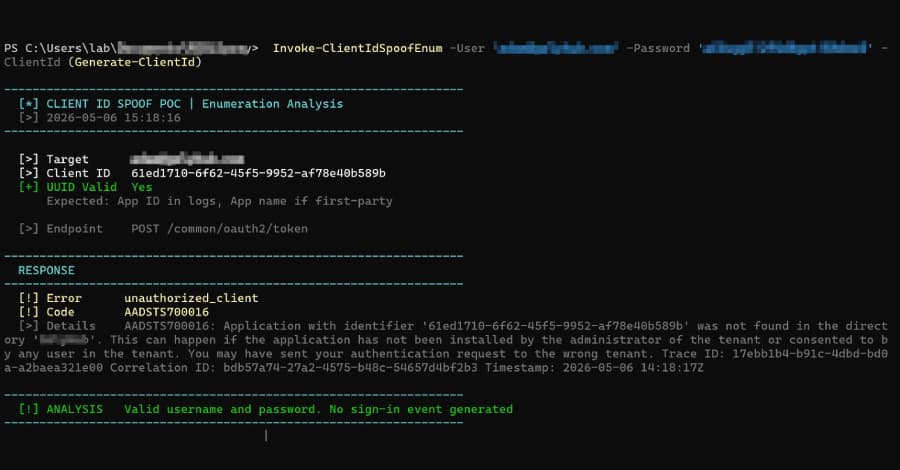
At least two distinct threat actors are weaponizing a novel evasion technique called OAuth client ID spoofing in cloud campaigns, while slipping past telemetry. The activity allows users to enumerate user accounts and validate stolen credentials in Microsoft Entra ID environments, without ever generating a successful sign-in event that would otherwise alert defenders. And bad actors have begun
Article URL: https://github.com/openai/codex/issues/28058 Comments URL: https://news.ycombinator.com/item?id=48905028 Points: 406 # Comments: 238
When we first started building kagent, we didn’t run every agent in its own Kubernetes Pod, Service, and ServiceAccount. Instead, agents were simply executed inside the kagent runtime. It was the simplest architecture possible: one runtime...
The flaws could allow attackers to access and modify data, and cause system unavailability and request-response desynchronization. The post SAP Patches Critical Vulnerabilities in NetWeaver, Approuter, Commerce Cloud appeared first on SecurityWeek.
Posted by Amman Asfaw, Product Manager, Android Studio Android Studio Quail 2 is now stable and ready for you to use in production, bringing a shift to your IDE with concurrent agentic workflows, natively integrated memory leak profiling, and context-aware crash remediation. Whether you are performing a sweeping architectural overhaul, tracing a memory leak, or resolving a critical production crash, Android Studio keeps you anchored in your workspace by reducing manual friction. Here’s
Let’s start with a conversation
An idea, a challenge, or a system that needs to work better. We’ll help you understand the next step.
Prefer email? [email protected]